

Leadpages is a user-friendly landing page builder with a drag-and-drop editor and high-converting templates. It offers powerful A/B testing, mobile optimization, and seamless integrations. Ideal for businesses seeking easy lead generation and conversions.
- Easy drag-and-drop editor
- Wide range of high-converting templates
- Built-in A/B testing
- Mobile-friendly design
- Strong integrations with third-party tools
- Excellent customer support
- Limited customization options
- Higher pricing compared to alternatives
- Basic built-in analytics
Price: $37/mo
Ever poured hours into a landing page, hyped the traffic, hit publish… and crickets? Low opt-ins, high bounce, zero sales. I know the sting- ran a webinar signup page that converted at 2%, wasted ad bucks. Switched to Leadpages: Drag-drop magic, A/B tweaks, boom- 18% lifts. No code, just conversions.
This Leadpages review breaks it all down for 2026: Pricing with AI credits, 200+ templates tested, features like Rocket Booster, real comparisons, pros/cons from 5+ months hands-on. Marketers, coaches, affiliates—if lead gen’s your bottleneck, Leadpages simplifies wins. Let’s see if it’s your stack savior.
What is Leadpages?
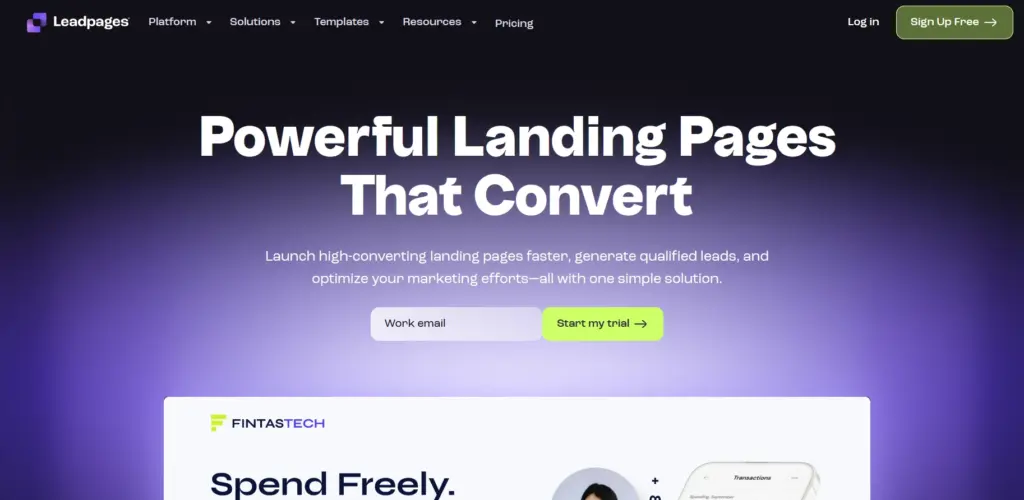
Leadpages is an intuitive landing page builder designed for marketers and business owners who want to create high-converting landing pages without the complexity of coding.
It offers a drag-and-drop interface that enables you to create custom pages quickly, along with a wide range of templates tailored to specific use cases.
Leadpages is suitable for a range of users, including:
- Small business owners looking to grow their customer base and drive sales.
- Marketers wanting to optimize landing pages for email signups, product launches, or lead generation.
- Bloggers who want to monetize their website by collecting leads.
- Affiliate marketers looking for fast, customizable pages to promote offers.
Whether you want to build a simple landing page or an advanced sales funnel, Leadpages has you covered. 🌐✨
Leadpages Review: Pricing Table
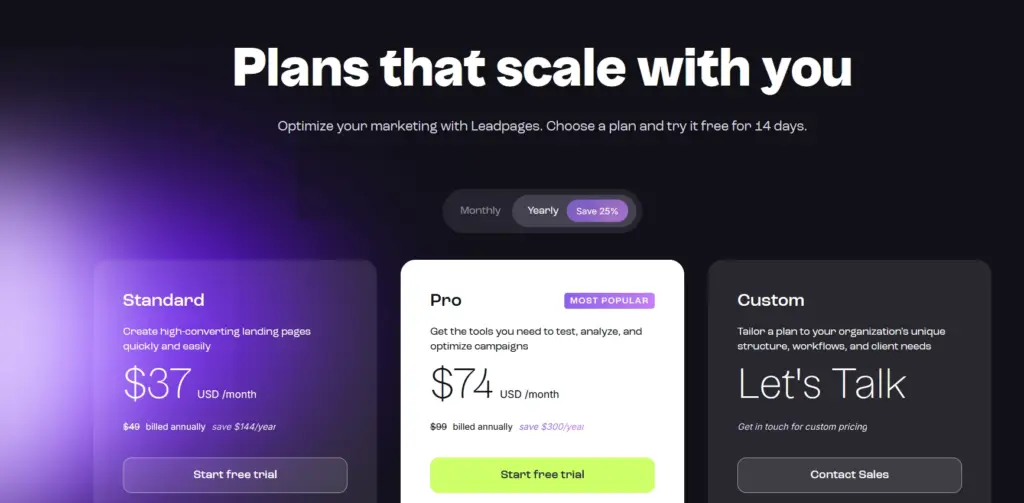
| Plan | Monthly Price (USD) | Annual Price (USD) | Key Features |
|---|---|---|---|
| Standard | $37 | $49/month billed annually ($588/year) | 5 landing pages, 1 custom domain, unlimited traffic & leads, standard integrations, unlimited A/B testing, sales & payments, blog monetization, client sub-accounts, advanced integrations |
| Pro | $74 | $99/month billed annually ($1,188/year) | All Standard features plus unlimited landing pages, 3 custom domains, unlimited A/B testing, standard integrations, sales & payments, blog monetization, client sub-accounts, advanced integrations |
| Custom | Custom pricing | Custom pricing | Tailored plan with options like client sub-accounts, discounted add-on packages, more custom domains, advanced integrations |
Optional Add-Ons
| Add-On | Price (USD) | Description |
|---|---|---|
| Add Users | $15/user/month | Invite team members to collaborate and optimize efficiently |
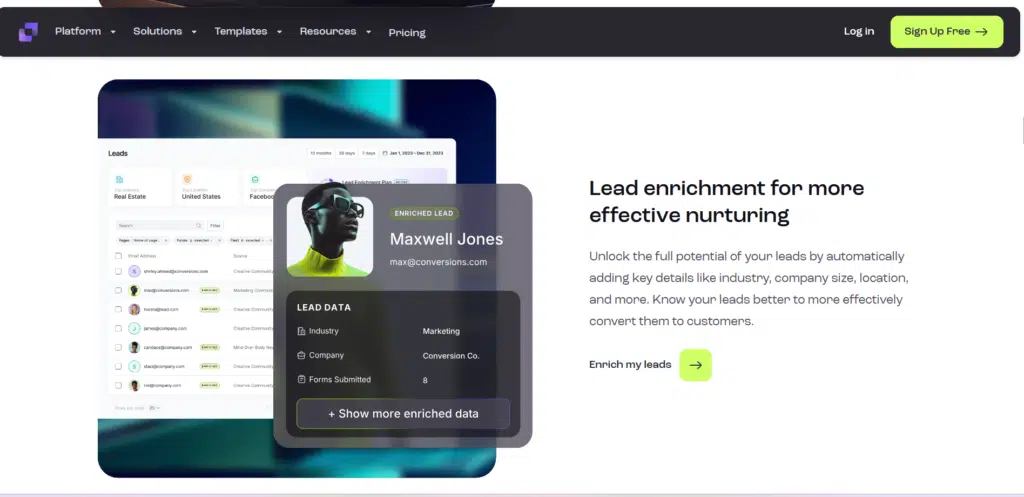
| Lead Enrichment | From $15/month | Get richer lead insights and improve lead quality to fuel smarter sales and marketing |
Which Plan is Right for You?
- Standard Plan: Perfect for individuals or small businesses who need basic landing pages.
- Pro Plan: Great for marketers who want advanced features like A/B testing and email triggers.
- Advanced Plan: Ideal for agencies or large businesses that need the highest level of customization and support.
My Personal Experience with Leadpages
I’ve been using Leadpages for several months now, and I must say, it has completely transformed my approach to creating landing pages.
As someone with minimal coding experience, I was initially concerned about the technical aspects, but Leadpages’ drag-and-drop builder made the process incredibly simple.
The pre-designed templates are gorgeous and highly customizable, allowing me to launch my first high-converting landing page in under 30 minutes.
What I appreciate most is the ease of use. I didn’t feel overwhelmed by unnecessary features. The platform is straightforward, and the pages are mobile-friendly, ensuring a seamless experience for my visitors. Over time, I’ve noticed a significant boost in my email signups and sales conversions, thanks to the powerful optimization features.
Why I Recommend Leadpages:
- Simplicity: No technical expertise required.
- Customizability: Plenty of templates to choose from.
- Conversion-focused: Built-in tools, such as A/B testing, help improve conversion rates.
Core Features: Leadpages Review
Leadpages offers a range of features designed to help users build high-converting landing pages. Let’s dive into some of the core features of Leadpages that set it apart:
1. Drag-and-Drop Builder
The drag-and-drop builder is the backbone of Leadpages. It allows users to easily create custom landing pages without writing a single line of code. You can add images, text, forms, and buttons by simply dragging them into place. This feature is a game-changer for non-techies like me.
2. Pre-designed Templates
Leadpages offers over 160+ templates tailored to different industries and use cases. Whether you need a lead generation page, webinar registration page, or sales page, there’s a template for every need. These templates are mobile-responsive, ensuring that your pages look great on any device.
3. A/B Split Testing
A/B testing allows you to test multiple versions of your landing page to see which one performs better. This feature is crucial for marketers seeking to optimize their pages for optimal results. Test variations of headlines, images, or CTAs, and track which one converts better.
4. Lead Magnet Delivery
Leadpages allows you to easily deliver your lead magnets (such as ebooks or PDFs) to new subscribers. This seamless integration makes it easier to turn visitors into leads.
5. Built-in Email Triggering
This feature allows you to automatically send follow-up emails to individuals who interact with your landing pages. You can set up triggers to send a welcome email, a thank-you note, or even a special offer after someone submits their contact details.
6. Lead Notifications
With lead notifications, you’ll get real-time alerts whenever someone fills out a form on your landing page. This ensures you never miss a lead, allowing you to take immediate action and follow up.
7. Integrations
Leadpages integrates seamlessly with popular email marketing tools (like Mailchimp and ConvertKit), CRM systems (like HubSpot), and even payment processors (like Stripe and PayPal). This ensures that your landing pages can integrate smoothly into your existing marketing stack.
8. Pop-Ups & Alert Bars
Leadpages also lets you create pop-ups and alert bars that you can display on your website. These are great for capturing leads or promoting special offers without needing a dedicated landing page.
Pros and Cons: Leadpages Review
Pros
- Easy-to-use drag-and-drop builder
- Tons of pre-designed templates
- Built-in A/B testing for optimization
- Integrates with major email and CRM tools
- Mobile-friendly landing pages
Cons
- Limited customization for advanced users
- No free plan available
Performance & Usability of Leadpages
The user experience with Leadpages is streamlined and intuitive. The platform’s interface is clean and straightforward, with clear options for building and managing landing pages. I particularly like how easy it is to navigate between different features, from the page editor to analytics.
In terms of performance, Leadpages ensures that your landing pages load quickly, a crucial factor for improving conversion rates. The platform has a strong uptime record, so you don’t need to worry about your pages going down unexpectedly.
Customer Support: Leadpages Review
Leadpages offers multiple ways to get help if you run into any issues. You can reach their support team through:
- Live Chat: Available for higher-tier plans, such as Pro and Advanced.
- Email Support: Available for all users.
- Knowledge Base: Comprehensive articles and guides are available to help you troubleshoot issues independently.
Leadpages Review Summary Based on Customer Ratings
Here’s a summary table based on user reviews:
| Feature | Rating (out of 5) |
|---|---|
| Good Value for Money | 4.5 |
| Features | 4.6 |
| Return Policy | 4.2 |
| Shipping & Delivery | N/A |
| Customer Service | 4.7 |
| Price & Quality | 4.5 |
| Ease of Use | 4.8 |
How Leadpages Works
- Sign Up: Create an account on Leadpages.
- Choose a Template: Pick from hundreds of customizable landing page templates.
- Customize: Use the drag-and-drop editor to add your content, images, forms, and buttons.
- Publish: Launch your landing page to start capturing leads.
- Track: Use built-in analytics to monitor page performance and make improvements.
FAQs About Leadpages Review
Can I use Leadpages for free?
Unfortunately, Leadpages does not offer a free plan. However, it provides a 14-day free trial for you to test the platform.
How easy is it to integrate Leadpages with email marketing tools?
It’s very easy! Leadpages offers native integrations with popular email marketing platforms like Mailchimp, ConvertKit, and AWeber.
Can I use Leadpages for e-commerce?
While Leadpages doesn’t offer a full-fledged e-commerce solution, you can integrate it with PayPal or Stripe to sell products or services.
Is Leadpages mobile-friendly?
Yes! All Leadpages templates are designed to be fully responsive on mobile devices.
Does Leadpages offer A/B testing?
Yes, A/B testing is available in the Pro and Advanced plans.
Quick Links
- Unbounce Review
- Podia Coupon Codes
- Thinkific vs Graphy
- HostGator vs. WP Engine
- Pressidium Hosting Review
- ByteGain Review
- Unbounce Review
Final Thoughts on Leadpages Review
In conclusion, Leadpages is a powerful and easy-to-use platform that can significantly enhance your online marketing efforts. Its drag-and-drop builder, customizable templates, and conversion optimization tools make it an excellent choice for marketers and small business owners.
While it may not offer the deepest level of customization for advanced users, it’s a fantastic choice for beginners and those looking to launch high-converting landing pages quickly.
If you’re looking to get started with Leadpages, I highly recommend trying it out with the free trial. 🖱️✨
